 uAgentKit
AI video clipping tools for YouTube, TikTok & Reels
Compare clipping and transcript editing with OpusClip, Descript and Taja AI. Check context, captions, export limits and publishing permissions.
For long-to-short clipping, compare OpusClip, Descript, Taja AI by their documented outputs, setup, operating costs and review requirements. Choose against this task’s inputs and limitations; this guide does not rank measured product performance.
Explore the content creators & social media industry guide →
Choose for the actual output.
Use a recording you have the right to edit, then decide whether you need candidate clips, precise transcript editing or destination packaging. Compare the documented roles of OpusClip, Descript and Taja AI against that output. A vertical export does not prove native posting access or better audience performance.
Keep the original meaning in the clip
Freeze a source recording and mark the statements that must remain in context. Review where each clip starts and ends, speaker attribution and any removed qualification. Record a rejected clip instead of silently replacing the first output.
Check captions, framing and exports
Inspect caption spelling, timing, safe areas, aspect ratio, source quality, watermarks and plan-specific export limits. Distinguish a usable file from a publish-ready asset. A product’s advertised score is not a measured view or conversion result.
Posting is a separate permission
The sourced OpusClip pricing profile lists native posting on qualifying plans. Verify the current account eligibility and scopes for your destination. For any candidate, require proof of the particular connection before treating an export feature as publishing support. Licensed voices and music require their own rights review.
A first-pilot checklist
- Use the same authorized recording, target duration, audience and caption brief for every candidate.
- Review the first output against the source transcript, including factual qualifications and quotations.
- Inspect a vertical export on a phone: caption clipping, speaker framing and readable contrast.
- Record source-minute or credit charges, export restrictions and the time required for human edits.
- Publish only a reviewed asset with the appropriate rights; keep account connections outside an initial offline comparison.
These are evaluation criteria based on the linked profiles and sources. Product-specific native results and unmeasured fields remain identified separately.
Inputs & prerequisites
Authorized source recording, transcript, and destination requirements.
Check that edits preserve the speaker’s meaning and do not promise virality.
Candidates & fit

Evaluate when: Creators repurposing a longer recording into reviewed short clips.
Check first: Availability, plan eligibility, and contractual conditions require confirmation.
Documented use: Finds clips, reframes footage, and adds captions. Inspect evidence →

Evaluate when: Editors who want fine control through a transcript and an editing timeline.
Check first: Availability, plan eligibility, and contractual conditions require confirmation.
Documented use: Edits audio and video by editing the transcript. Inspect evidence →

Evaluate when: Solopreneurs, podcasters, educators and small video teams reusing interviews or tutorials across YouTube and social channels.
Check first: Automated highlight selection and title optimization do not prove future reach, virality or search ranking.
Documented use: Taja accepts YouTube sources and video files from the user’s computer. Inspect evidence →
Filter this task’s candidates
Default: search match priority, or documented detail then name. No popularity scores.

Taja AI repurposes long recordings into clips, captions, thumbnails and post drafts. Explore creator inputs, output review and its scheduling calendar.
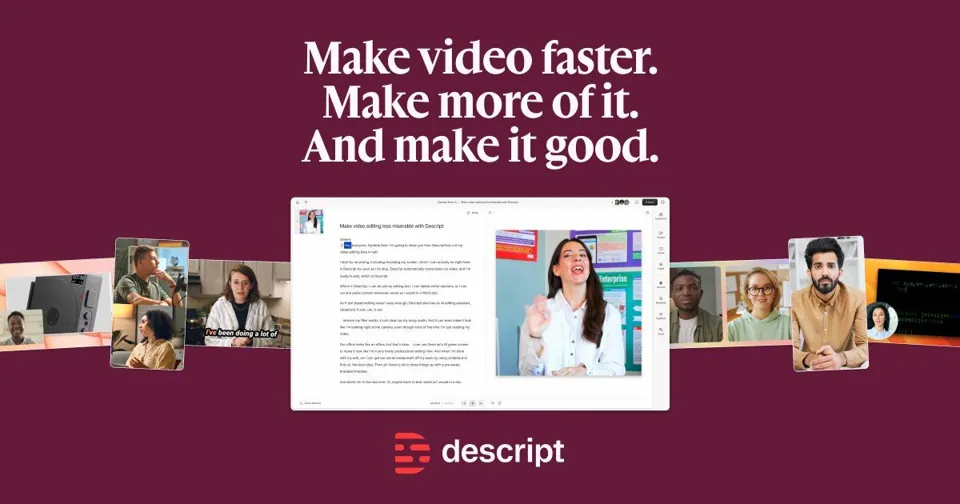
Descript edits audio and video through transcripts, with Underlord, clips, captions and dubbing. Review editing workflows, plan limits and test cases.
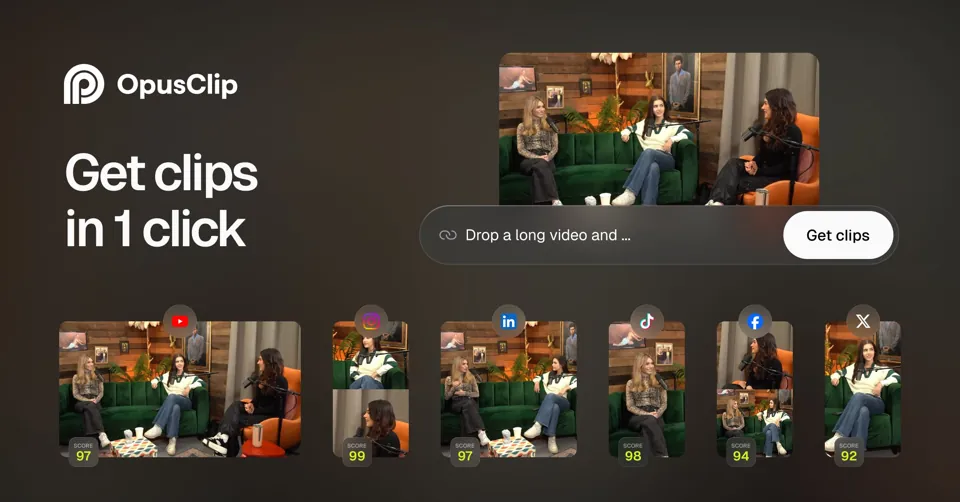
OpusClip turns long recordings into short clips with reframing and captions. Review source-video inputs, export quality, supported publishing and test cases.
Compare the same facts
| Selection question | OpusClipOpusClip | DescriptDescript | Taja AITaja AI |
|---|---|---|---|
| Product type | Specialist AI tool | AI assistant | Automated workflow |
| Best suited for | Creators repurposing a longer recording into reviewed short clips. | Editors who want fine control through a transcript and an editing timeline. | Solopreneurs, podcasters, educators and small video teams reusing interviews or tutorials across YouTube and social channels. |
| Shared / related tasks | |||
| Price model | Free tier · credit plans · business quoteOfficial pricing includes a free tier, paid credit plans, trials, and business API/custom integration options. Check watermark, credit, storage, and publishing limits. | Free tier · per-seat subscriptionsOfficial pricing includes a free tier, paid seats with media-hour/AI-credit limits, and enterprise terms. Resolution, dubbing, and collaboration differ by plan. | Free start advertised · monthly plans from US$19.99The reviewed monthly Starter plan is US$19.99 for one user and four long-form video optimizations, with up to ten shorts per video. Professional is US$49.99 with ten videos and up to twenty shorts per video. The homepage advertises free starting credits and no credit card required; exact trial allowance must be confirmed. Annual billing and team plans have different allowances and payment commitments. |
| Deployment | Cloud service | Cloud service | Hosted web workflow and channel integrations; local video upload is an input method, not local model execution. |
| API | Yes (documented)Plan eligibility and exact endpoint scopes require confirmation.Source 1 | Not verifiedNot verifiedNot verified in the reviewed official material. | Not verifiedNot verifiedNot verified in the reviewed official material. |
| Inputs | Authorized long videos or supported source URLs. | Footage, audio, a script, or a recorded conversation you have rights to use. | An authorized YouTube recording or local long-form video, channel and brand context, an approved transcript, target destinations and any permitted scheduling connections. |
| Outputs | Short clips, captions, reframed video, and supported posts. | Edited media, captions, clips, and supported dubbing. | Short vertical clips with editable captions, thumbnails, video metadata, blog or social-text drafts and optional calendar entries. |
| Platform relationship | YouTube: Native integration TikTok: Native integration Instagram: Native integration | YouTube: Content output TikTok: Content output Instagram: Content output | YouTube: Native integration X: Native integration Instagram: Native integration Facebook: Native integration TikTok: Native integration LinkedIn: Native integration |
| Commercial use | Commercial output rights and contractual use restrictions have not been verified for this entry. | Commercial output rights and contractual use restrictions have not been verified for this entry. | Use footage, speaker likenesses, voices and music for which the necessary permissions exist. Exact generated-media and export rights were not verified in the reviewed product/pricing pages. |
| Human review | Review factual claims, captions, voice permissions, and copyright before publication. | Review factual claims, captions, voice permissions, and copyright before publication. | Review factual claims, captions, voice permissions, and copyright before publication. |
| Content Creators & Social Media · Creator platforms | YouTube: Native integration; TikTok: Native integration; Instagram: Native integrationSource 1 | YouTube: Content output; TikTok: Content output; Instagram: Content outputSource 1 | YouTube: Native integration; X: Native integration; Instagram: Native integration; Facebook: Native integration; TikTok: Native integration; LinkedIn: Native integrationSource 1 |
| Content Creators & Social Media · Content formats | Video; Audio; CaptionsSource 1 | Video; Audio; CaptionsSource 1 | Short video clips, captions, thumbnails, blog drafts and social-text draftsSource 1 |
| Content Creators & Social Media · Inputs | Authorized long videos or supported source URLs.Source 1 | Footage, audio, a script, or a recorded conversation you have rights to use.Source 1 | YouTube or uploaded long-form video, channel context and brand voiceSource 1 |
| Content Creators & Social Media · Outputs | Video clips; Captioned mediaSource 1 | Video clips; Captioned mediaSource 1 | Edited clips, captioned media, thumbnails, text drafts and optional scheduleSource 1 |
| Content Creators & Social Media · Aspect ratios | Not verifiedNot verifiedNot verified in the reviewed official material. | Not verifiedNot verifiedNot verified in the reviewed official material. | The homepage describes vertical clips under 60 seconds by default; exact export options require account inspection.Source 1 |
| Content Creators & Social Media · Publishing by platform | YouTube: Native integration; TikTok: Native integration; Instagram: Native integrationSource 1 | YouTube: export/manual upload; TikTok: export/manual upload; Instagram: export/manual uploadSource 1 | Calendar scheduling is advertised for YouTube, X, Instagram, Facebook, TikTok and LinkedIn.Source 1 |
| Verification | Partially verified · 2026-10-01 | Partially verified · 2026-10-01 | Partially verified · 2026-10-02 |
| Recorded product tests | No executed cases registeredNo executed product-case outcome is recorded. Source access, page checks and public demos are separate. | No executed cases registeredNo executed product-case outcome is recorded. Source access, page checks and public demos are separate. | No executed cases registeredNo executed product-case outcome is recorded. Source access, page checks and public demos are separate. |
Unverified fields · 8 (expand)
Reviewed evidence is missing; this does not establish that the product lacks the capability.
- Price amount · OpusClip / Descript / Taja AI: not verified
- Self-hosting · OpusClip / Descript / Taja AI: not verified
- Open source · OpusClip / Descript / Taja AI: not verified
- Permissions · OpusClip / Descript / Taja AI: not verified
- Content Creators & Social Media · Caption formats · OpusClip / Descript / Taja AI: not verified
- Content Creators & Social Media · Voice & caption languages · OpusClip / Descript / Taja AI: not verified
- Content Creators & Social Media · Commercial use terms · OpusClip / Descript / Taja AI: not verified
- Content Creators & Social Media · Approval requirements · OpusClip / Descript / Taja AI: not verified
A practical evaluation sequence
- Prepare the inputs and define a reviewable output.
- Check the candidate’s documented capability and plan eligibility.
- Run a small sample in the vendor product with authorized data.
- Review the result, permissions, sources and full operating cost.
Cost & human review
Check base subscriptions, seats, usage credits, connected app charges, hosting and any licensed source data. Trial access does not establish a recurring free allowance. Exact unverified prices remain unknown.
Check that edits preserve the speaker’s meaning and do not promise virality.
Related editorial comparisons
Sources & limits
What “official sources” means We read vendor material for the claims cited below. This is a documentation review. No independent product test or professional endorsement is implied. Read our method →
- Official product information
OpusClip · www.opus.pro · Read · 2026-10-01
- Official pricing
OpusClip · www.opus.pro · Read · 2026-10-01
- Official product information
Descript · www.descript.com · Read · 2026-10-01
- Official pricing
Descript · www.descript.com · Read · 2026-10-01
- Official Taja long-video repurposing and scheduling workflow
Taja AI · www.taja.ai · Read · 2026-10-02
- Official Taja founder and company background
Taja AI · www.taja.ai · Read · 2026-10-02
- Official Taja plans and video allowances
Taja AI · www.taja.ai · Read · 2026-10-02